Play YouTube in the background with your iPhone locked
Play a YouTube video in Lume Flow, lock your iPhone, and keep listening without an ad breaking the flow. Picture-in-Picture and a timer cover the moments when the screen stays on.
A video does not stop being useful because I put my phone in my pocket. A long interview, a podcast, a study mix, or a talk can be more valuable as audio than as something I have to keep watching. The screen should be optional.
The normal moment is almost boring. I find a video I want, press play, and lock my iPhone. Then the audio stops. I unlock the phone, return to the player, and turn the screen into a glowing obligation for the next hour.
That is not a technical mystery. Google describes background play with the screen off as a YouTube Premium benefit. The free YouTube app can offer Picture-in-Picture for some content and regions, but background listening remains restricted. The gap is simple: I want the video, not a commitment to keep its app and screen open.
The video should not own the screen
I built the Lume Flow player around a different assumption: playback should follow what you are doing, not decide what you are allowed to do next. If you want to watch, keep the player open. If you want to use another app, move the video into Picture-in-Picture. If you only need the audio, lock the phone.
The starting point still feels familiar. Open a video, see the title and creator, browse the comments and related videos, then press play. There is no separate conversion step and no file to manage. It is the YouTube experience people already understand, placed inside the wider Lume Flow rhythm.
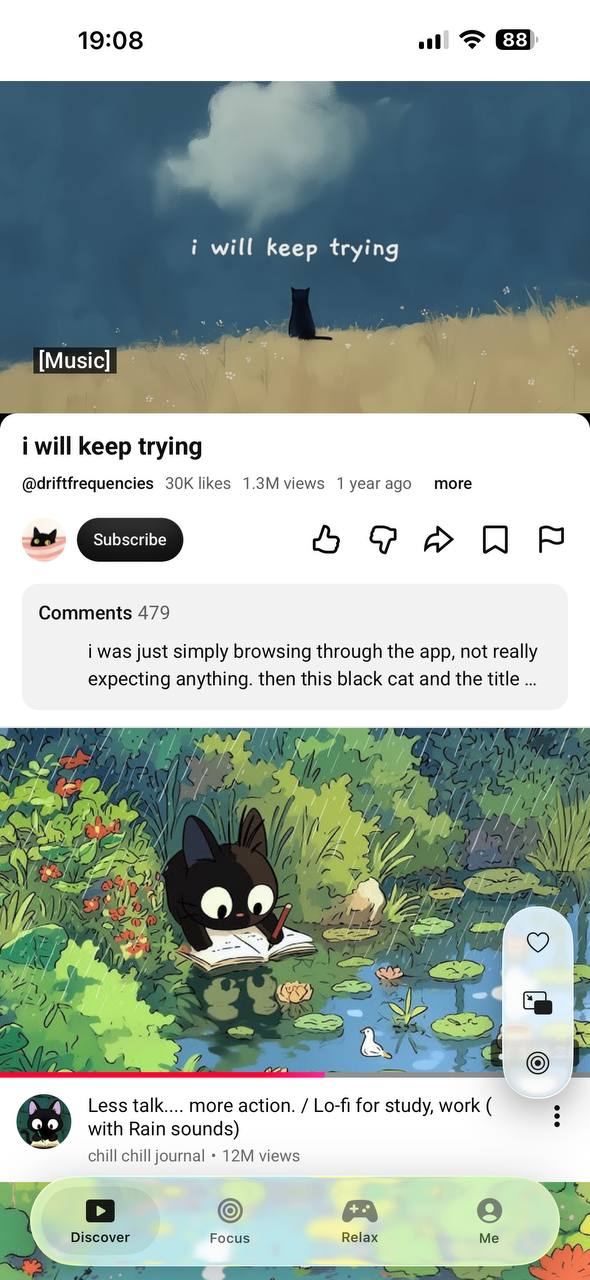
Locking the iPhone should not end the video
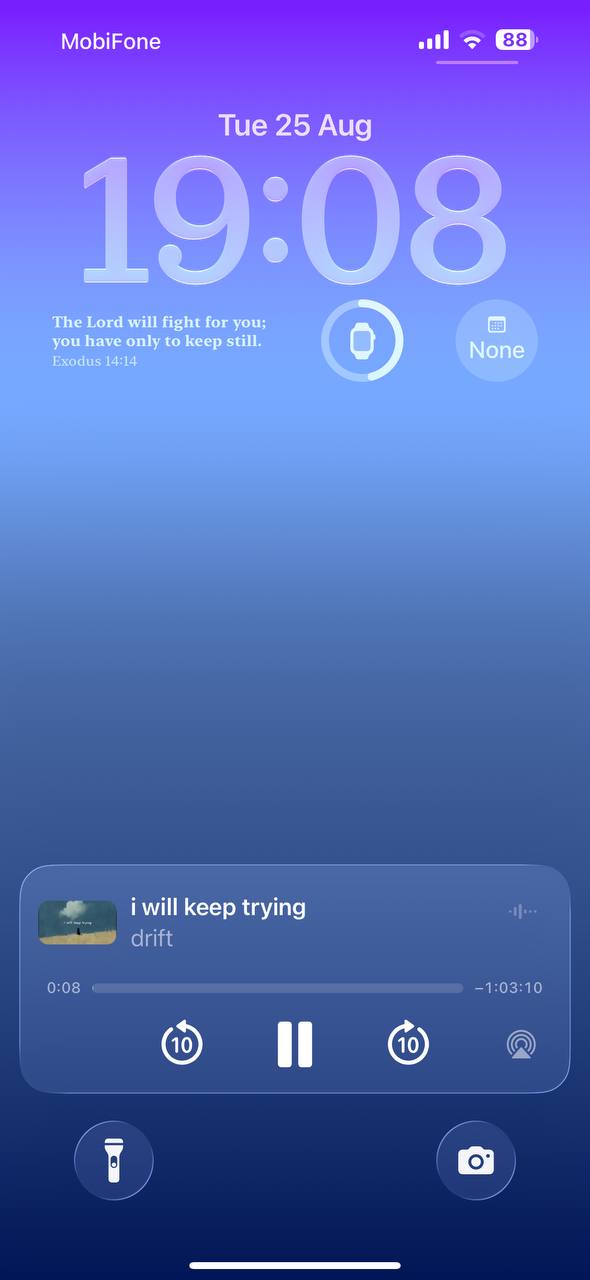
Background playback is the part that removes the screen from the experience. Once a video is playing in Lume Flow, lock the iPhone and the audio continues. The iOS lock-screen player keeps the controls nearby, including play, pause, seeking, and audio output.
This matters because listening rarely happens as a standalone activity. The phone goes into a pocket while you walk. It sits face down while you work. It stays on the bedside table while a quiet video plays. None of those moments needs a bright screen or a video player waiting for attention.
Picture-in-Picture keeps the video close, not in charge
Sometimes the picture still matters. A tutorial needs the hands. A drawing video needs the canvas. A conversation is easier to follow when you can see the people speaking. Picture-in-Picture keeps that part visible while the rest of the iPhone remains usable.
The distinction is useful. Background playback is for listening with the screen off. Picture-in-Picture is for watching while doing something else. They solve different versions of the same problem: one video should not take control of the whole device.
A timer lets listening end without another decision
Continuous playback needs an ending. Without one, a background video can drift into the next video, then the next, long after it stopped being something you chose.
Lume Flow lets you set a timer around the session. Start the video, choose how long it should run, then put the phone away. That is useful at bedtime, during a focus block, or whenever the content should fill a particular part of the day rather than the whole day.
I use the same idea elsewhere in Lume Flow: a good session should carry its own boundary. It is also why I plan focus sessions around a visible finish line. Freedom is not endless playback. It is knowing that playback will continue when you need it and stop when you asked it to.
Fewer interruptions make the content feel whole
An ad does more damage to listening than its running time suggests. It arrives between two parts of a thought, changes the volume and tone, then asks you to reconstruct what the speaker was saying. During music or a focus mix, the interruption becomes the loudest part of the session.
The Lume Flow player is designed to keep this flow free from YouTube ad breaks. Creator-read sponsorships and promotions that are part of the video remain part of the content, but inserted ad interruptions do not take over the session. The result is not a more impressive player. It is a calmer hour.
The best version disappears into the day
The complete flow is deliberately short: find a video, press play, and decide whether the screen stays with you. Keep it open, move it into Picture-in-Picture, or lock the iPhone and listen. Add a timer when the session needs an endpoint.
Lume Flow is free to use on iOS, but free is not the outcome. The outcome is that the content follows you without demanding the screen, an upgrade, or repeated attention. The app stays in your pocket and the thing you chose keeps playing.
Pick a video you love, lock your phone, and keep listening.
Written by Roach
I’m a product engineer who loves making useful things and telling the stories behind how they’re built. Honest build notes, product thoughts, engineering lessons, and the occasional bad idea that survives production.